
360 CTI for Professional Services

Salesforce CTI for Professional Services: Client Calls Logged Against Every Project Record

Log client calls against project records, track billable time, route clients to the right expert, and keep communication history organized inside Salesforce.

  • Calls logged to projects
  • Native to Salesforce
  • Billable call time tracked
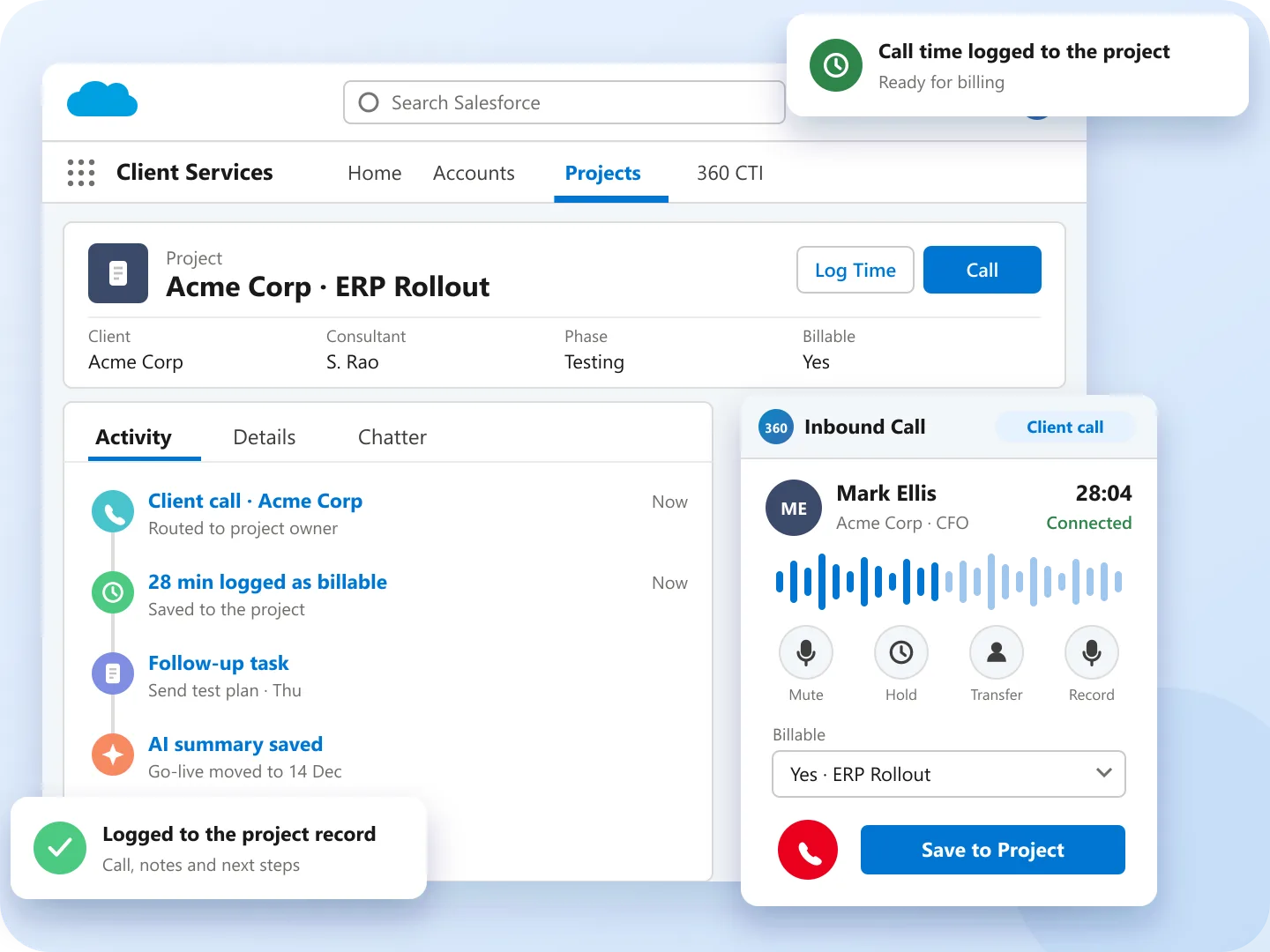
Salesforce CTI for professional services: 360 CTI client call logged against a project record with billable time

Trusted by Client-Centric Professional Service Brands

Abbott logo Amgen logo Dexcom logo Parkinson's UK logo INSEAD logo PageGroup logo DPD logo Liberis logo

Better Call Handling, Happier Clients

35%

Up to 35% Faster Issue Resolution

Smart routing, live call transfers, and call conferencing for collaboration reduce delays in dispute handling and service delivery.

42%

Up to 42% More Efficient Client Communication

Automated follow-ups, AI-driven transcripts, and efficient call handling cut manual tasks and ensure consistent, timely updates.

28%

Up to 28% Higher Client Satisfaction

Improved personalization, reduced no-shows, and enhanced service quality lead to stronger client trust and long-term relationships.

See how 360 CTI handles client calls inside Salesforce.

Request a Demo

Manage Client Calls, Projects, and Billable Time with AI-Led Salesforce Calling

Salesforce CTI for professional services helps consulting firms, legal practices, accounting firms, and managed services providers manage client conversations inside Salesforce.

Improve Service Calls with AI

Understand client tone and intent with live AI transcripts and sentiment analysis to personalize follow-ups and deliver consistent, trust-building communication.

Automate Follow-Ups and Updates

Automate follow-up calls, reminders, and status updates to clients, ensuring timely communication, boosting engagement, and reducing manual workload efficiently.

Connect Quickly to the Right Expert

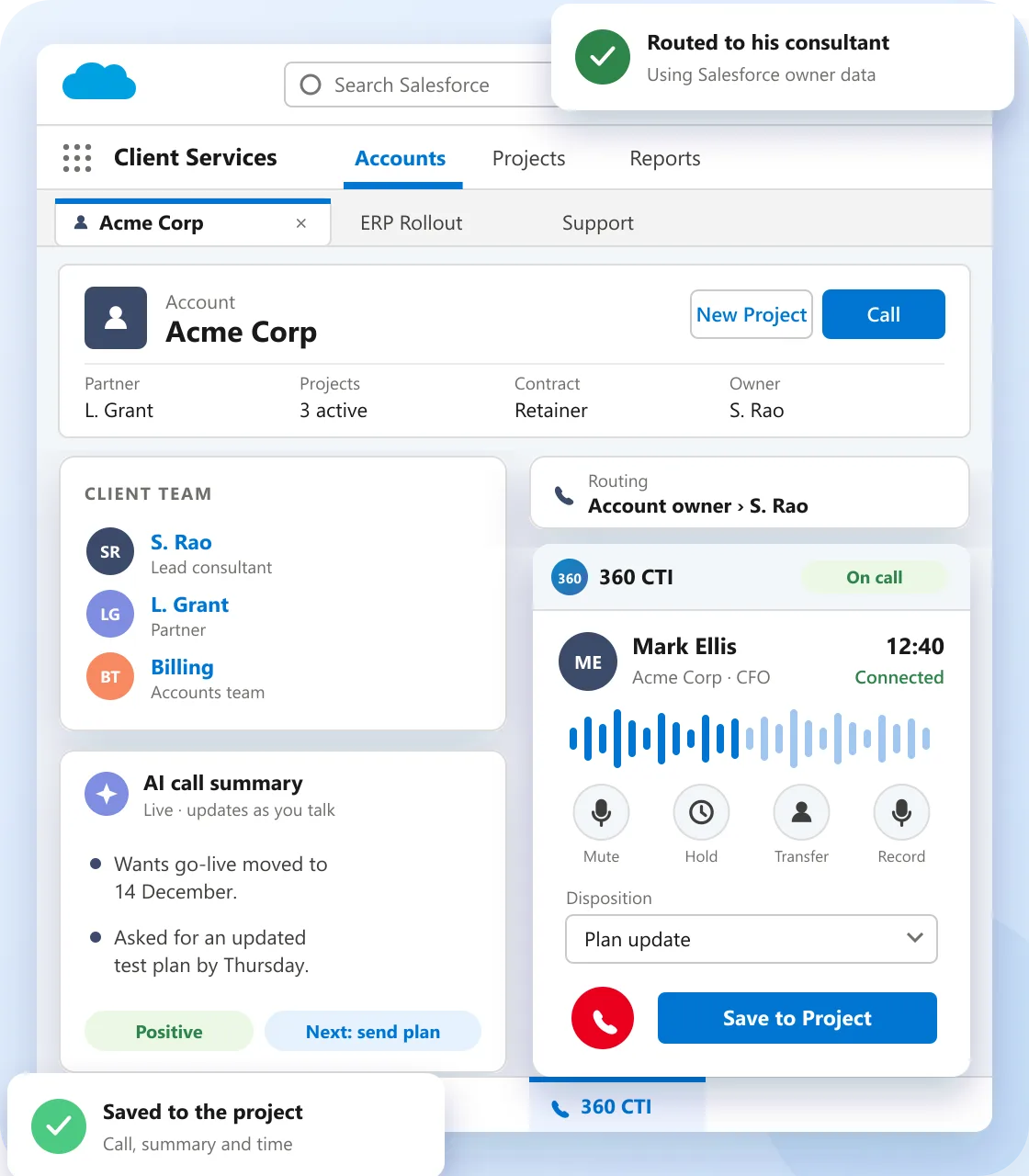
Use smart routing inside 360 CTI for professional services to instantly direct clients to the right consultant, advisor, or support agent without transfers or confusion.

Salesforce CTI for professional services: 360 CTI softphone on a client call inside the Salesforce console with live AI call summary

Resolve Client Disputes Faster

A Salesforce call center for professional services helps teams transfer calls, start conferences, and bring the right expert into urgent client conversations.

Schedule Appointments Easily

Automate appointment booking and confirmations through Salesforce IVR for client appointments—available 24/7, reducing back-and-forth and no-shows.

Enhance Service Team Efficiency

360 CTI's call recording and live monitoring tools help uphold service standards and boost team performance for more revenue.

Every Client Call, From First Call to Renewal

See where 360 CTI supports clients and consultants at each step, all inside Salesforce.

New inquiry Active project After the call Escalation
New inquiry

Book Meetings Any Time

IVR books and confirms client appointments 24/7.

IVR bookingMon 7:45 New client · tax consultation
Booked: Wed 10:00
Active project

Reach the Right Expert

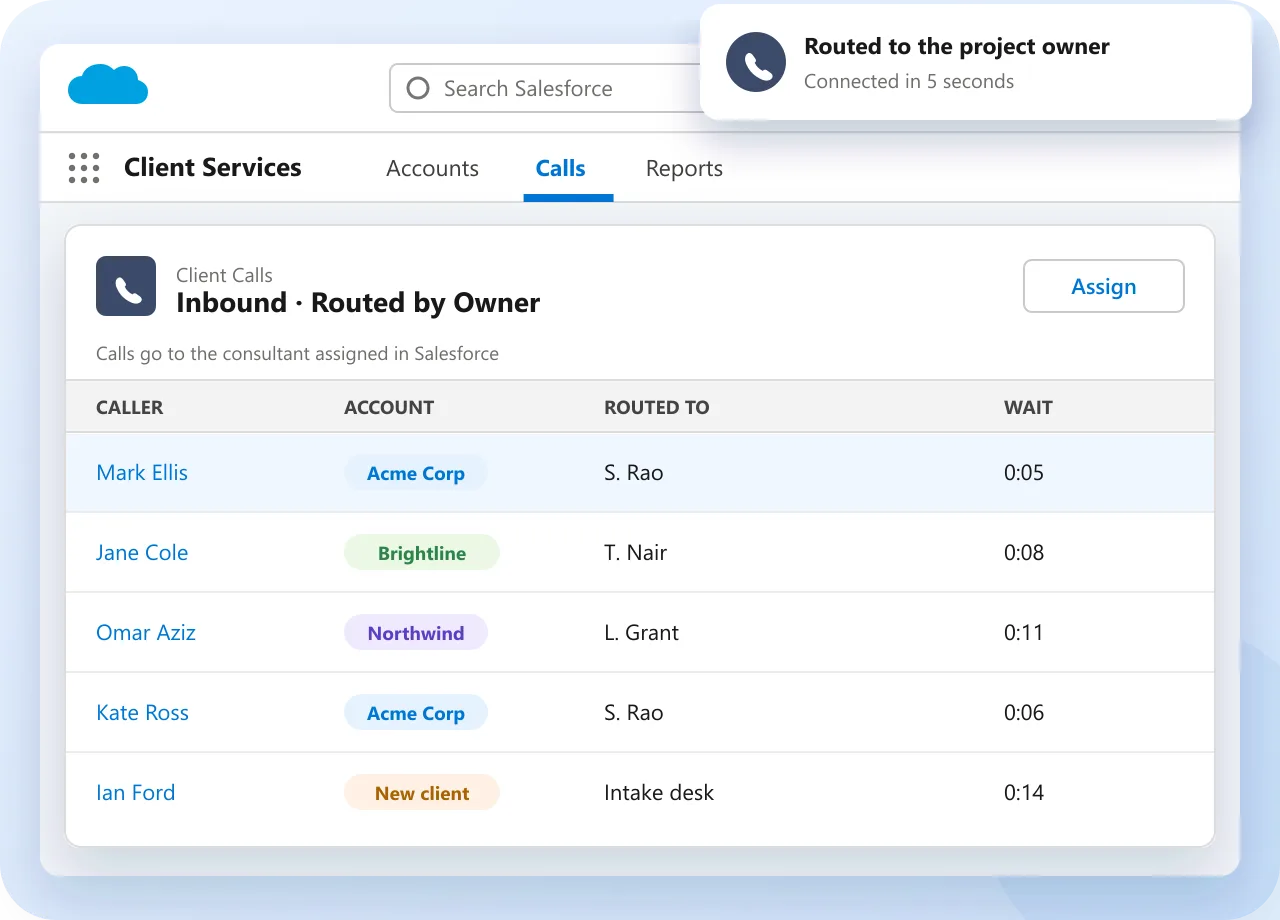
Calls route to the assigned consultant using Salesforce data.

Inbound callTue 9:20 Acme Corp · ERP rollout
Routed to owner
After the call

Log Time Automatically

Duration and notes save to the project record.

Call loggedTue 9:48 28 min · billable
Saved to project
Escalation

Resolve Issues Faster

Bring a specialist into the call with conferencing.

Conference callThu 15:10 Billing dispute · partner joined
Resolved on call

Built for Every Professional Services Team

Pick a team to see how they use 360 CTI inside Salesforce.

Route Clients to Their Consultant

Calls go to the consultant assigned in Salesforce, with the project open.

  • Routing by account and project owner
  • Screen pop with project context
  • Calls logged to the project record
Explore call routing
Salesforce CTI for professional services: client calls routed to the consultant assigned in Salesforce

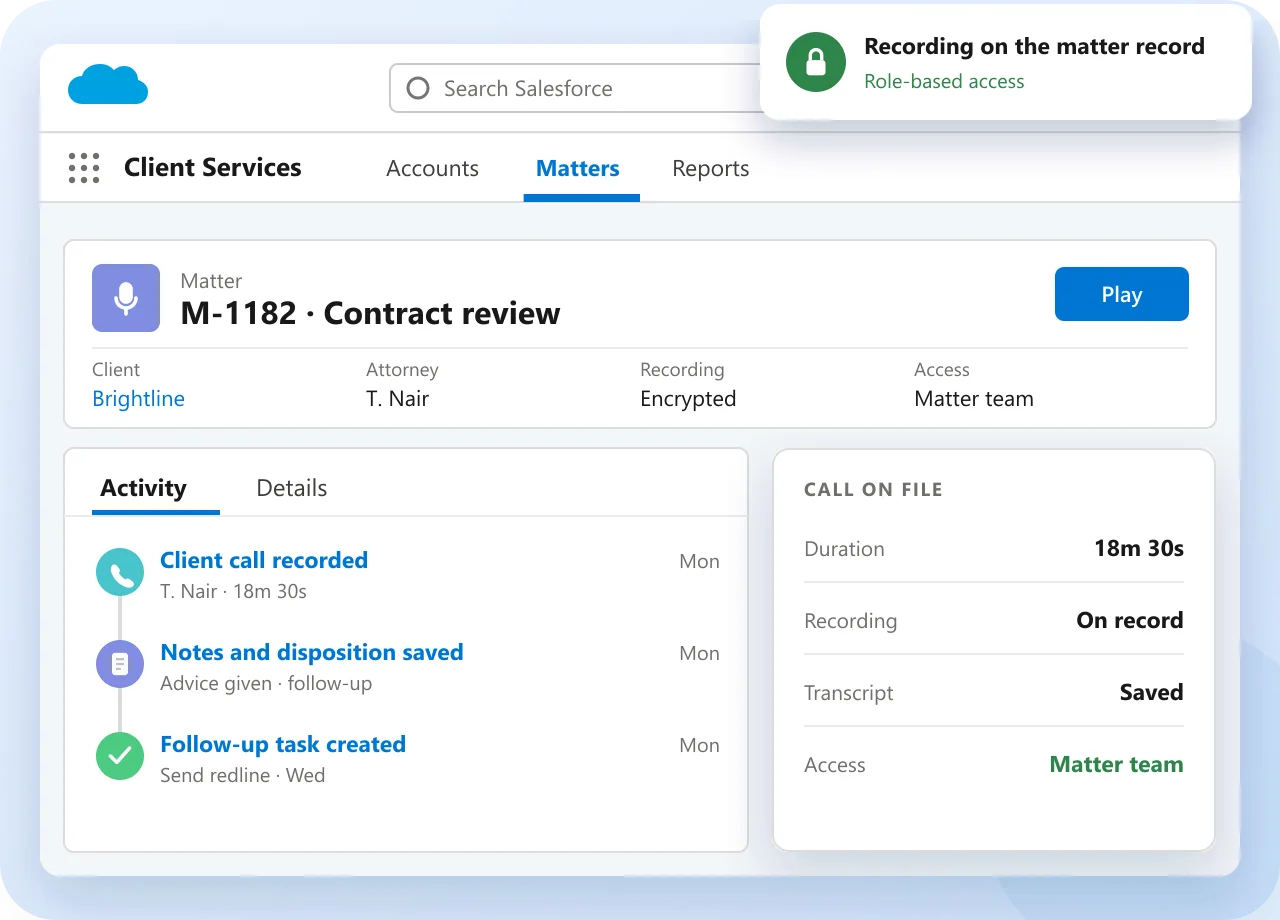
Keep Every Client Conversation on File

Recordings, notes and call time sit on the matter record.

  • Encrypted call recordings
  • Notes and dispositions on the record
  • Role-based access to recordings
Explore call monitoring
Salesforce CTI for professional services: client call recording and notes saved on the matter record

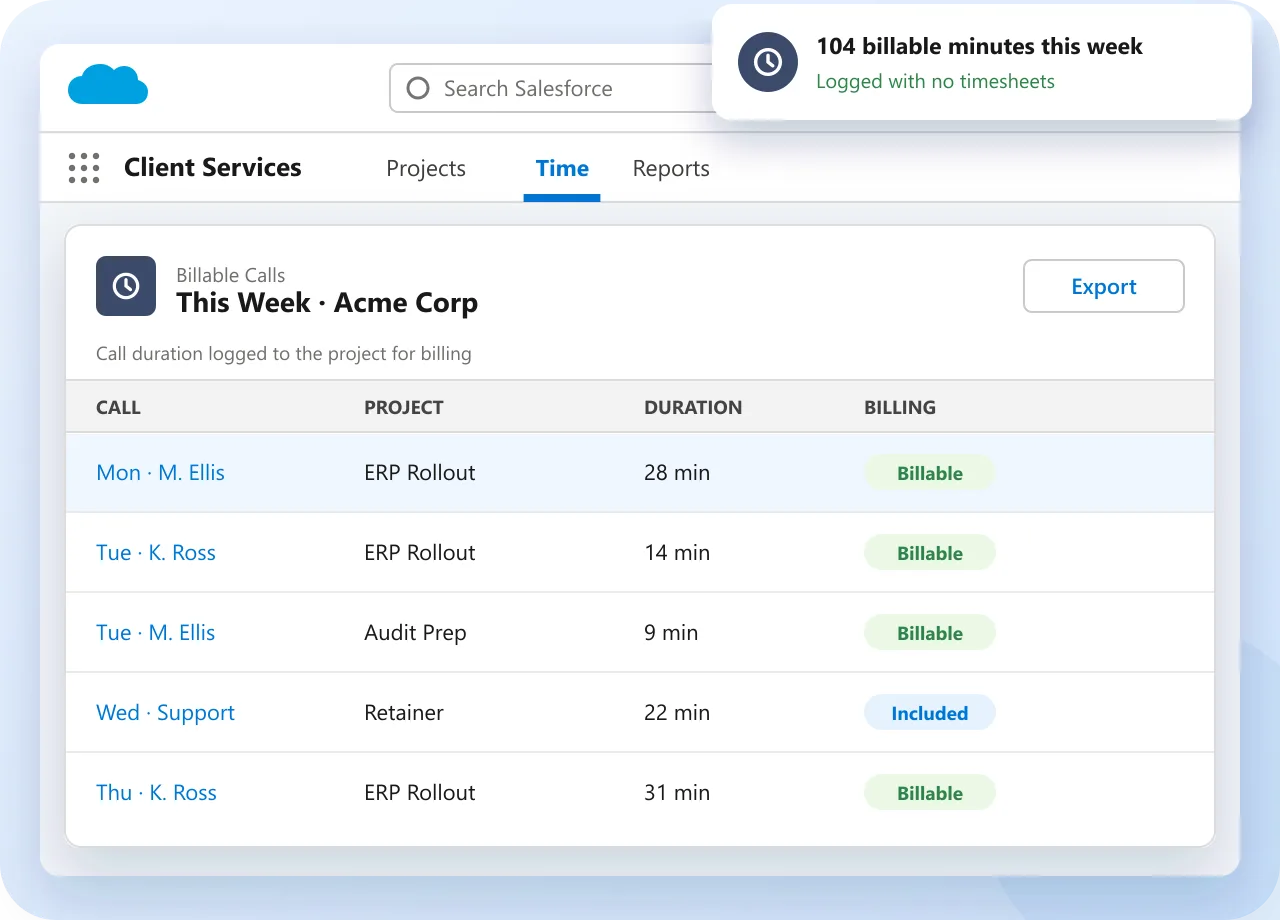
Track Billable Call Time

Call duration and timestamps link to the client project for billing.

  • Call duration logged automatically
  • Linked to the project record
  • Ready for billing reports
Explore Salesforce calling
Salesforce CTI for professional services: billable call time logged to client projects

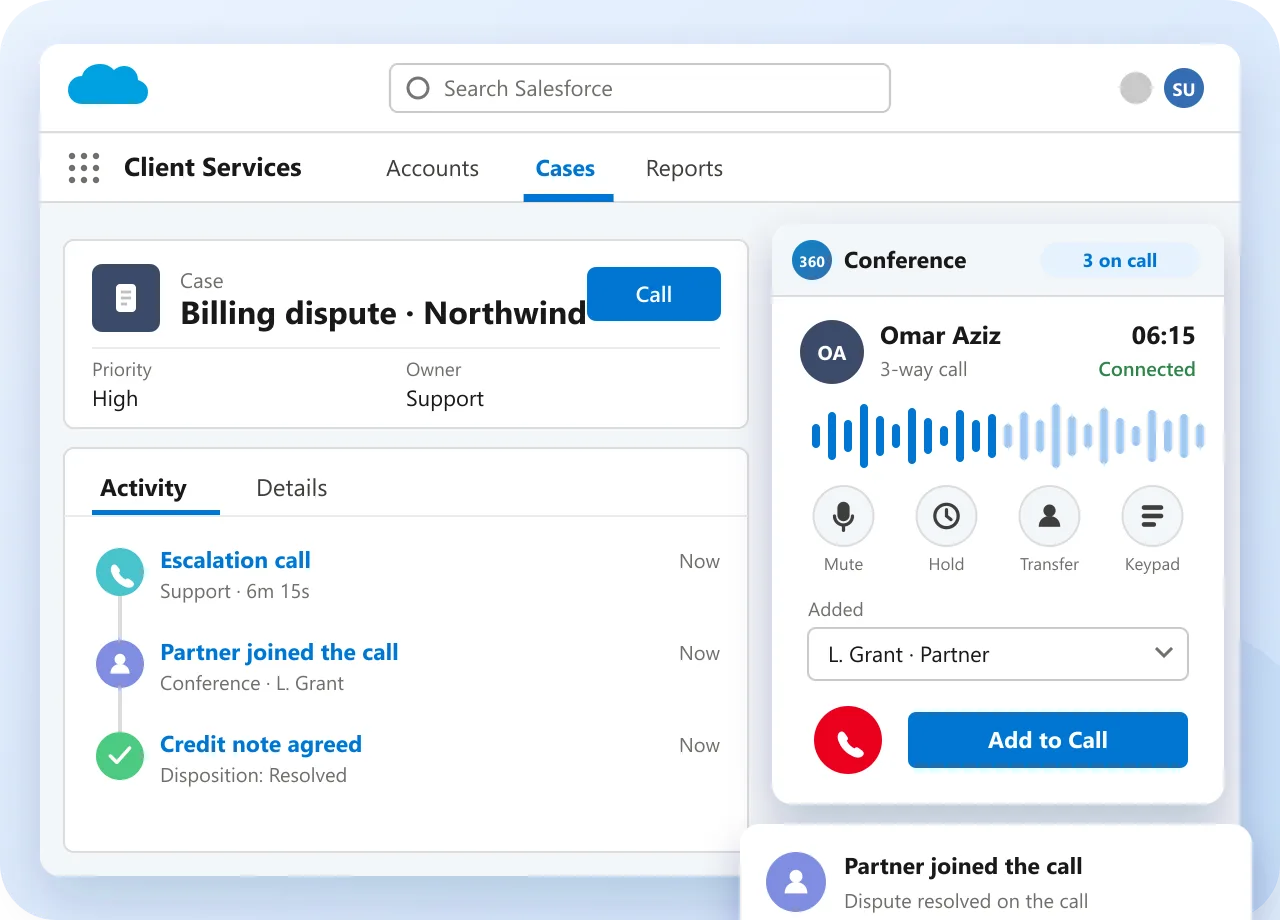
Resolve Client Issues Faster

Support teams transfer, conference and escalate without losing context.

  • Live transfer and conferencing
  • AI transcripts and sentiment
  • Follow-up tasks after every call
Explore AI call coaching
Salesforce CTI for professional services: escalation conference call with a partner added

Client Calling, Before and After 360 CTI

Without 360 CTI

  • Consultants log call time from memory
  • Clients repeat details to each person
  • Calls go to whoever is free
  • Call notes kept outside Salesforce
  • Appointments booked through phone tag
VS

With 360 CTI

  • Call time logged to the project automatically
  • Full client history on screen
  • Calls routed to the assigned consultant
  • Calls, notes and outcomes in Salesforce
  • 24/7 IVR appointment booking

Your Trusted Partner for Service Excellence

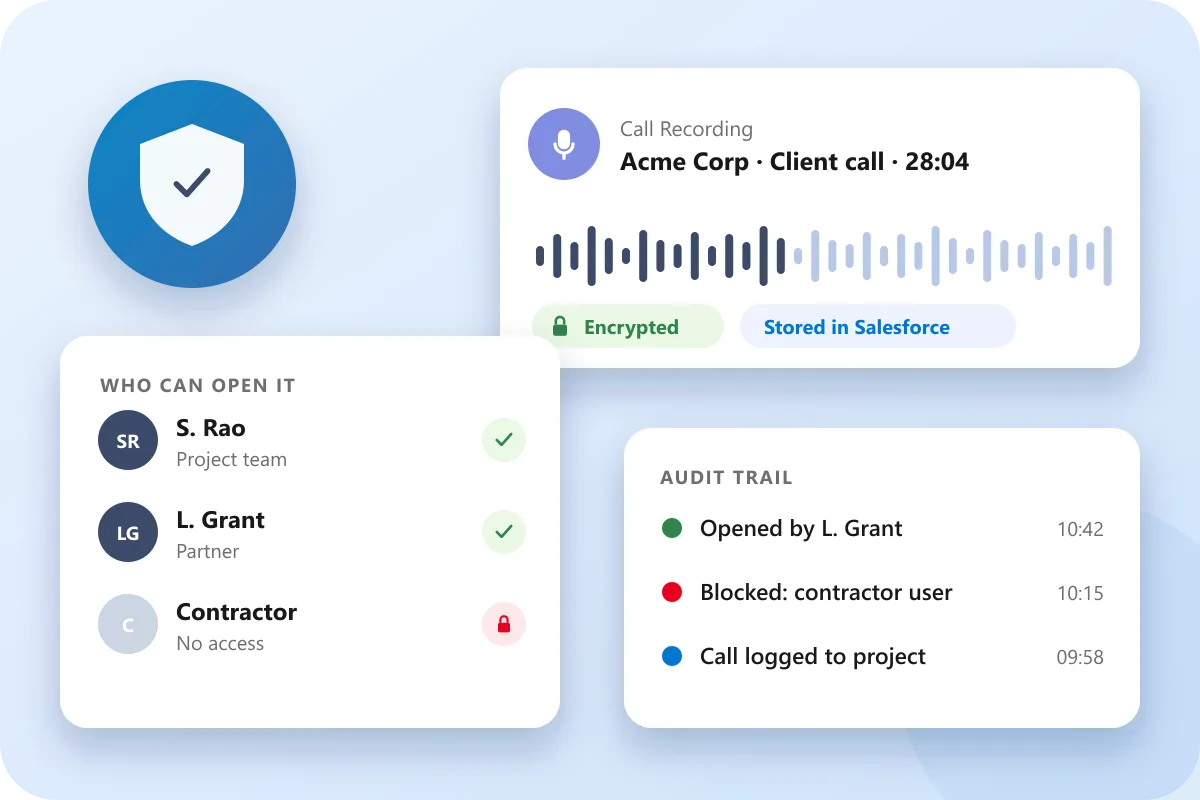
Client calls, recordings and call time stay inside Salesforce, under the permissions you already use.

  • Encrypted call recordings
  • Role-based access control
  • Audit trail on every record
  • Works with custom project objects
  • GDPR, SOC 2 and ISO compliant
  • No separate phone system
Salesforce CTI for professional services: encrypted client call recording with role-based access and audit trail
13+Years of Trust
ZeroIntegration Hassle
100%Free Support
No CodeTelephony Solution
Salesforce-NativeTelephony
100%Data Security

Works Inside Salesforce, Not Next to It

360 CTI is built natively on Salesforce, so calling works with the objects and tools your client teams already use.

  • No separate phone system or second login
  • Call data stays in your Salesforce org
  • Uses your existing Salesforce permissions
See how native calling works
360 CTI
Sales Cloud Service Cloud Custom Project Objects Reports & Dashboards Salesforce Mobile App Salesforce Flow
Salesforce CTI for professional services case study: AI call translation increased lead conversions by 25%
Case study
25%

How Salesforce AI Call Translation Increased Lead Conversions by 25%

Read the case study

AI call transcription and coaching leveled up our team

Every call is transcribed with sentiment analysis, and managers coach from the summaries instead of sitting in on calls. New reps ramp faster because the AI coaching flags what to fix, and nothing gets lost since it all logs to the record automatically.

RG

Rishabh Gupta

Verified review on Salesforce AppExchange · Sep 2026

AI Voice Agents that actually handle routine calls

The AI Agents and Conversational AI in 360 CTI take the repetitive calls off our reps' plates — AI calling handles first contact, routes, and follows up, and the agents pick up only what needs a human. It's the first AI feature we've used that saved real time instead of adding steps

MM

Mridul Miglani

Verified review on Salesforce AppExchange · Aug 2026

Standout Service. Trusted Relationships. Higher Retention.

Have questions or want to know more about AI-led 360 CTI?

Contact our Experts

FAQs About Salesforce CTI for Professional Services

How does Salesforce CTI for professional services log client calls against project records?

Salesforce CTI for professional services logs client calls against the correct Salesforce account, contact, and project automatically. 360 CTI uses screen pop to identify the record, then writes disposition, notes, duration, and outcomes after the call ends. Billing and project teams see accurate call history without manual entry. There is no separate call log to reconcile with Salesforce records. Billing and project managers stop reconciling records across two systems and start managing call activity from the same Salesforce environment the rest of the team uses.

Can 360 CTI track billable time for client calls inside Salesforce?

Yes, Salesforce CTI for professional services can help track billable call time inside Salesforce. 360 CTI captures call duration, timestamps, and outcomes, then links them to the relevant project record. Billing teams get accurate call time data without consultants manually reporting hours. Time details stay tied to Salesforce records instead of a separate timesheet system. This gives billing teams verifiable, timestamped call data tied to the project record — without relying on consultants to remember and manually log time after each conversation.

How does a Salesforce calling solution for professional firms improve client relationship management?

A Salesforce calling solution for professional firms keeps full client call history in one place. 360 CTI logs calls, notes, outcomes, and follow-up tasks to the client’s Salesforce record automatically. Any team member can answer a client call with full context. Teams do not need to switch between the phone system and Salesforce to understand client history. Client continuity improves because any team member answering a follow-up call already knows the full conversation history — not just the most recent interaction.

How does Salesforce CTI for consulting firms route calls to the right consultant?

Salesforce CTI for consulting firms routes calls by consultant assignment, practice area, client account, project owner, or availability. 360 CTI uses Salesforce record data to decide where each call should go. Clients can reach their assigned consultant faster on first contact. Routing decisions use CRM data instead of a separate phone configuration. For firms with complex org structures, routing decisions update automatically when consultant assignments change in Salesforce — no phone system reconfiguration required.

What Salesforce objects does 360 CTI log client calls against?

Client call management Salesforce workflows can log calls against accounts, contacts, opportunities, cases, and custom project objects. 360 CTI identifies the record through screen pop and writes call activity automatically. Project teams see call data exactly where they need it in Salesforce. 360 CTI works with standard and custom Salesforce objects. This means billing teams can reconcile call time against project records directly inside Salesforce, without pulling data from a separate phone system log.

How does Salesforce telephony for professional services reduce post-call admin work?

Salesforce telephony for professional services reduces post-call admin by removing manual call logging and follow-up task creation. 360 CTI captures disposition, duration, notes, and next steps during and after each call. Consultants can move to the next client conversation without updating Salesforce manually. Post-call work is handled while the call activity is saved. The time saved on post-call admin typically compounds — consultants handling ten or more client calls a day reclaim significant time each week without changing how they work.

Salesforce CTI Insights for Professional Services Teams

Guides, setup walkthroughs, and calling strategies for Salesforce admins and calling teams.

Blog
Nov 6, 2026

HIPAA-Compliant Salesforce CTI: What Healthcare Businesses Need to Consider

Read More →
Blog
Nov 4, 2026

Open CTI Alternatives: 7 Options Before 2028 | 360 CTI

Read More →
Blog
Oct 30, 2026

Agentic AI Contact Center in Salesforce: What It Does and What Teams Are Getting Wrong

Read More →
Live Chat