
Here’s a quick question for you. If you doubled your call volume next month, would Salesforce get cleaner or messier? Well, for most teams, it gets messier. Not because reps don’t care, but because the calling workflow was never designed to scale inside the CRM.
When calling happens outside Salesforce, every conversation creates extra work. Notes sit in someone’s head. Dispositions are inconsistent. Follow-ups slip. And leadership loses confidence in the data.
This blog highlights what the best Salesforce CTI solution really means for high-volume sales teams and how to pick CTI Telephony for Salesforce that scales with a Salesforce-native calling experience, automation that protects rep time, and AI readiness for what comes next.
Want to Know How Voice AI in Salesforce Can Be Your Next Ally?

Why High-Volume Calling Breaks Most Salesforce Workflows
High-volume teams share one thing in common, whether they’re closing deals, resolving cases, or running a contact center queue. They have to handle a lot of calls, and quickly. But as call volume grows, the systems around those calls start to break, no matter which team is dialing.
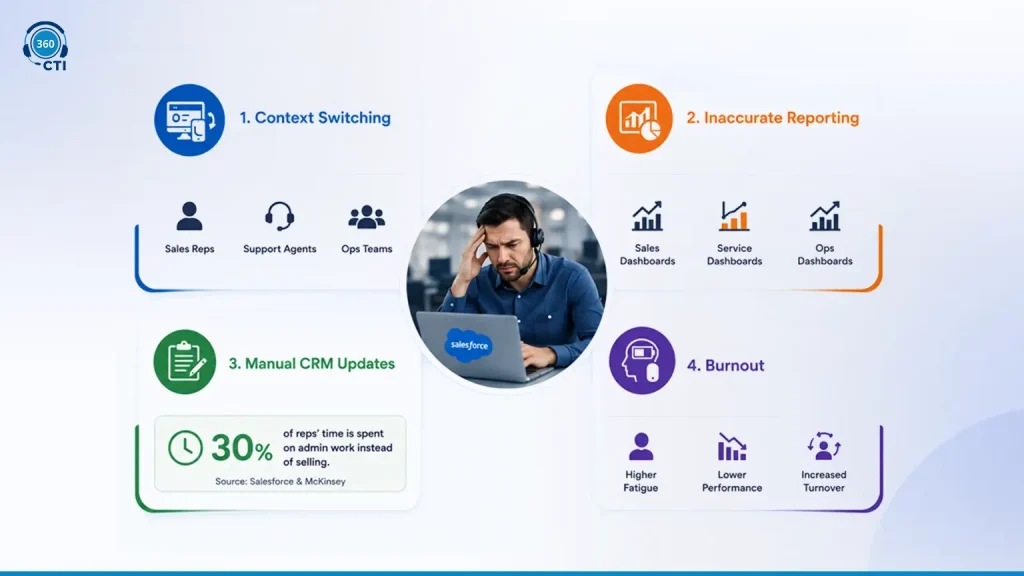
Context Switching
Every time an agent or rep moves between the dialer and the CRM, they lose focus. A sales rep loses the thread of a pitch. A support agent loses the case detail they were about to reference. The mental effort of switching screens, searching for records, and retyping notes breaks the flow of the conversation itself. This slows people down and increases fatigue and errors across every team, not just sales.
Inaccurate Reporting
When calling and CRM systems are not tightly connected, reporting becomes unreliable everywhere it touches. Sales dashboards show that calls happened but not what was said or what the next step is. Service dashboards show case volume but not resolution quality. Leaders end up guessing instead of managing with data.
Manual CRM Updates
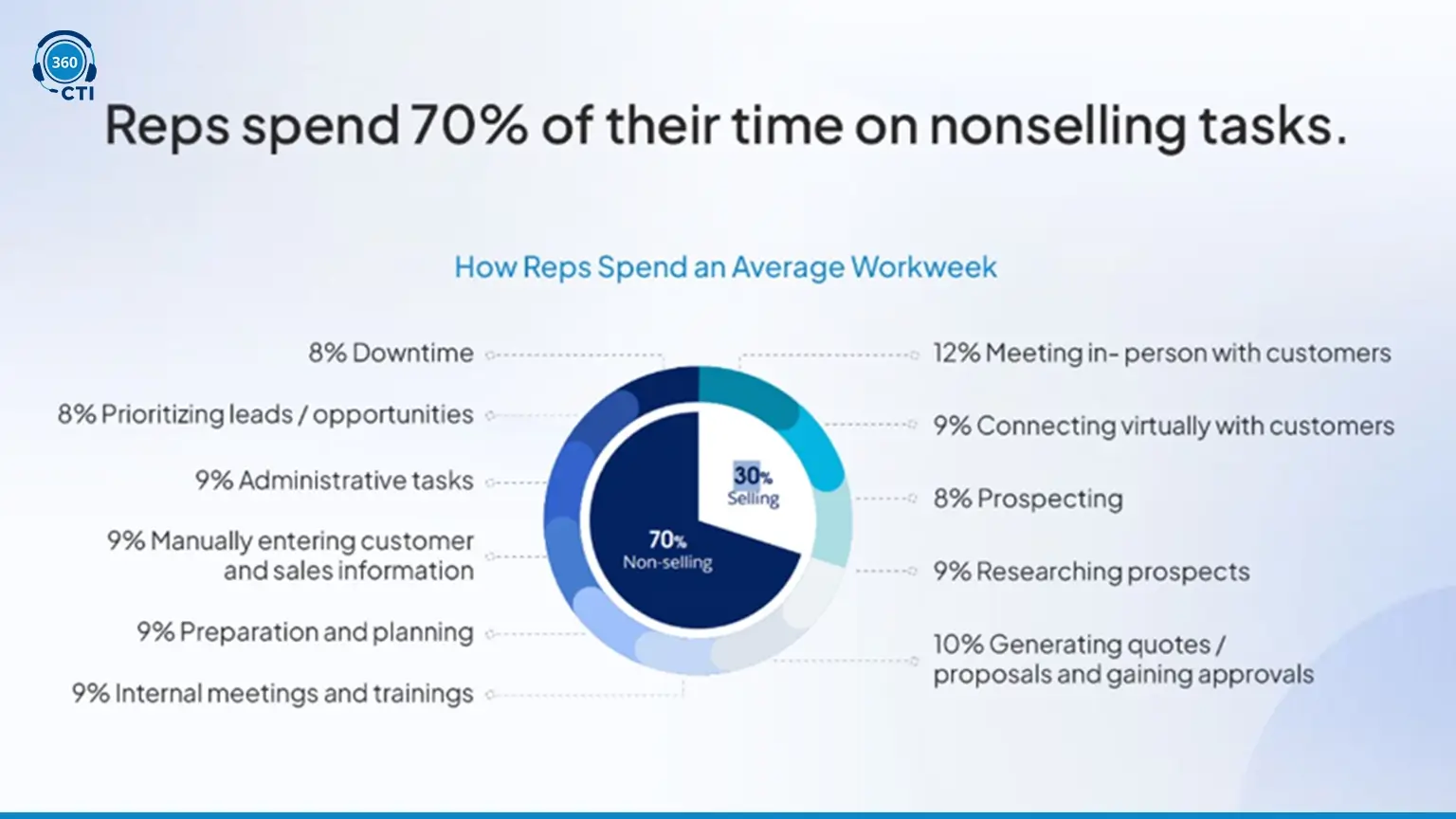
After each call, reps and agents often have to switch to Salesforce to update outcomes, add notes, and create follow-up tasks. It is repetitive work that does not contribute to selling, resolving, or coordinating, whichever the call was actually for. According to a study by Salesforce and McKinsey, sales reps spend about 30% of their time on admin work instead of selling. Support and operations teams see the same pattern in their own workflows, just with different admin tasks attached.
Rep Burnout
The combination of manual work, context switching, and a lack of meaningful insights leads to burnout, whether it’s a rep, a support agent, or an ops coordinator running the calls. People get tired of repetitive tasks and feel unsupported by their tools. When tools hinder rather than help, turnover increases and performance drops.
These issues are not isolated to sales. They compound as call volume and team size grow, in a support queue as much as an outbound sales floor. This is why many current CTI setups collapse under pressure. They were built for small teams with light call loads, not for enterprises making thousands of calls every month across sales, service, contact center, and operations combined.
A support queue with no routing logic, a contact center running blind on agent availability, an operations team calling from a spreadsheet instead of a clean list, all of it traces back to the same root cause: calling that lives outside the CRM instead of inside it.
What “Best Salesforce CTI Solution” Means at Scale
For high-volume teams, the best Salesforce CTI solution is not the one with the most features. It’s the one that still performs when call volume rises, the team grows, and workflows get more complex. A scalable CTI setup has three non-negotiables:
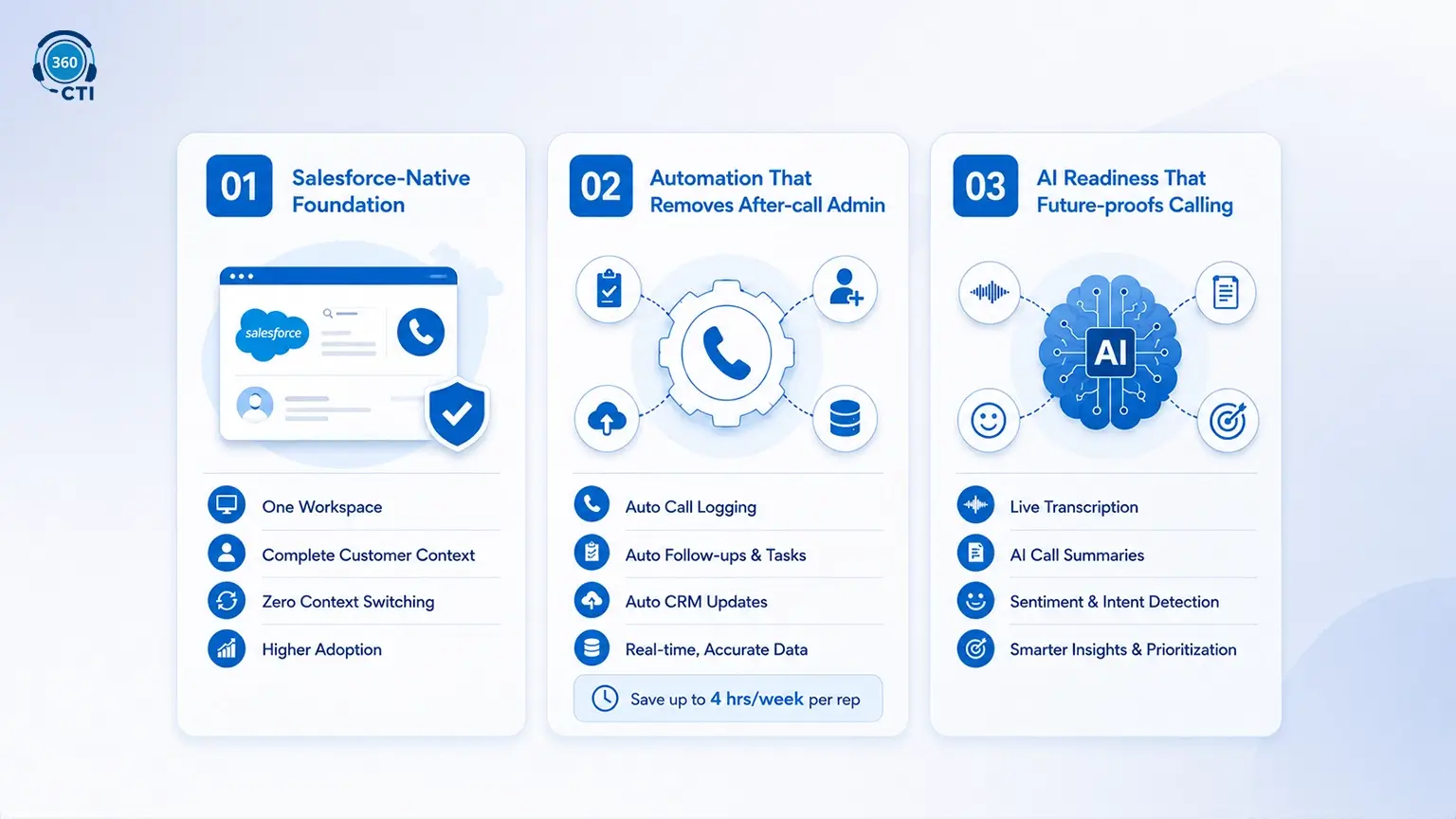
- Salesforce-native Foundation
A Salesforce-native calling app keeps reps inside the CRM where they already work. Calls happen in Salesforce, the right record opens automatically, and reps see context before they say hello. That reduces tab switching, speeds up call flow, and improves data accuracy. For example, a rep can click a lead, place a call, view campaign history, and capture the disposition in one flow. Also, it helps:
- Reduce human error by keeping all data in Salesforce, eliminating the need for manual CRM updates.
- New reps ramp up quickly, as they only need to work within Salesforce without switching tools.
- Provide immediate access to lead history and relevant context, enabling more informed, personalized calls.
- Increase rep adoption, as everything they need to handle calls is integrated directly into Salesforce.
- Automation That Removes After-call Admin
In strong Salesforce computer telephony integration, automation handles call logging, dispositions, follow-up task creation, and record updates without relying on rep discipline. This is what makes high volume sustainable. Even saving 3 minutes per call across 80 calls a day can return four hours of selling time per rep each week, while keeping Salesforce clean and current. Additionally, automation:
- Saves time by automatically moving reps to the next task, letting them focus on selling.
- Ensures timely follow-ups with automatic task creation, improving lead nurturing.
- Keeps teams aligned with real-time, accurate data, boosting collaboration and decision-making.
- Scales effortlessly as call volume grows, handling more tasks without adding complexity.
- AI Readiness That Future-proofs Calling
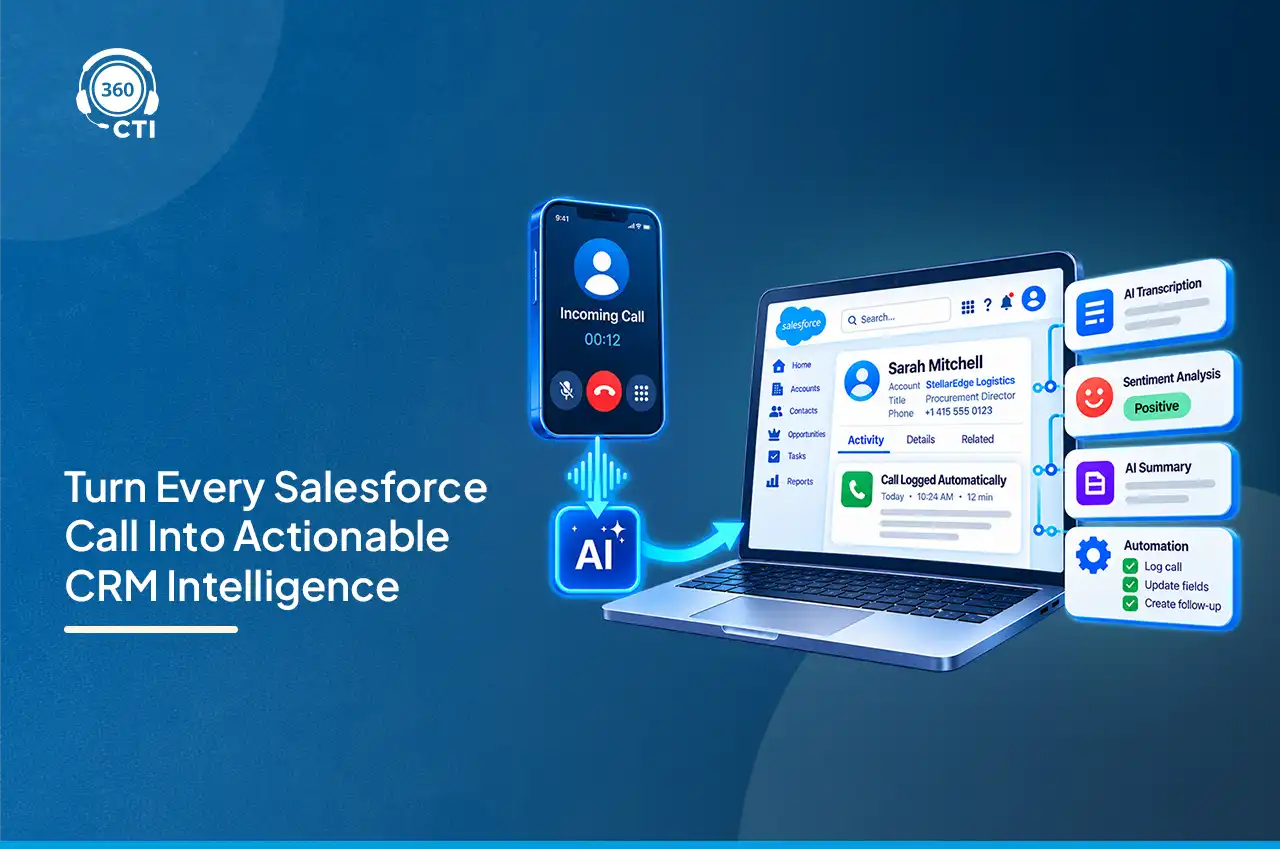
AI is not here to replace reps. It helps teams stay consistent when volume grows. AI-ready CTI Telephony for Salesforce supports transcription, call summaries, and signals like sentiment and intent. That gives managers a faster way to coach and helps reps capture better notes without slowing down. It also sets the stage for smarter prioritization and routing over time, but only if voice data lives inside Salesforce. Also, it:
- Prioritizes high-value leads automatically, saving reps time.
- Maintains service consistency as AI assists with quality control.
- Reduces manual tasks by automating follow-up recommendations.
- Improves CRM data quality with automatic tagging of call outcomes.
CTI Priorities by Salesforce Team
The three non-negotiables above hold true everywhere, but what “best CTI” means in practice shifts depending on who’s using it. A sales director chasing outbound throughput isn’t optimizing for the same thing as a service leader running a support queue, even though both are evaluating salesforce computer telephony integration against the same core criteria.
Sales Teams
Sales priorities center on outbound velocity and clean pipeline data:
- Power Dialer with list-based auto-dialing, so reps move from one lead to the next without manual dialing.
- Click-to-dial from lead, contact, and opportunity records.
- Automatic call logging and dispositions, so activity data reflects what actually happened.
- Follow-up task automation, so a “call me back Tuesday” doesn’t disappear into a notebook.
Customer Service and Support Teams
Support teams are judged on first-call resolution and how fast an agent gets to context:
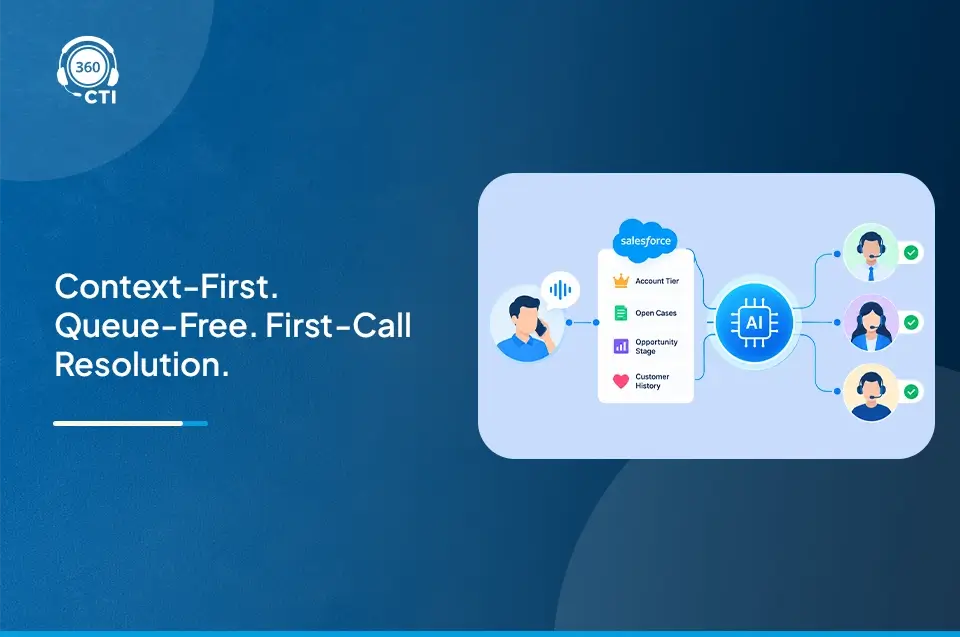
- Inbound screen pop that opens the right case, contact, or account the instant a call connects.
- IVR and skill-based routing, so callers land with the agent who can actually solve their issue.
- Call transfer and conferencing with context intact, so a customer isn’t repeating themselves after being routed to another department.
- Case-level call logging, since support activity usually needs to roll up to the case record.
Contact Center Teams
Contact centers combine sales and service pressures at higher volume, plus workforce management concerns:
- Agent availability status (Online, Away, Offline) tied to routing, so calls don’t land on agents who can’t take them.
- Auto-forwarding and voicemail on rejection, so no call disappears without a trace.
- Call monitoring, whisper, and barge for supervisors coaching in real time.
- Analytics through native Salesforce reporting objects, so call data feeds the same dashboards as everything else in the org.
Operations and Delivery Teams
Operations teams use calling for confirmations, reminders, and escalations rather than sales conversations, so their needs skew toward reliability and simplicity:
- Bulk auto-dialing with breaks and skips, so agents can pause and resume call-down lists during long shifts.
- Multilingual IVR, useful for delivery updates or appointment confirmations across regions.
- Missed call tracking with automatic follow-up tasks, since a missed delivery confirmation has real downstream cost.
- Clean phone number handling, including country code auto-selection and deduplication, since operations lists are often the messiest data in the org.
Best CTI Tools High-Volume Teams Actually Use
Choosing the right Salesforce CTI solution comes down to how your team actually calls, not a feature checklist. Take a mid-market B2B SaaS company with a 30-rep SDR team handling inbound demo requests and outbound follow-ups. On paper, call volume looks healthy. In reality, reps dial from one tool, update Salesforce later, and miss logging details during peak hours. By the time managers review dashboards, activity is there but outcomes are unclear. Pipeline reviews turn into guesswork.
In this scenario, the best CTI solution is the one that removes friction entirely. Calls happen inside Salesforce, outcomes are logged automatically, follow-ups trigger instantly, and managers see clean data the same day. If a CTI tool adds even small delays or manual steps, those gaps compound fast at scale.
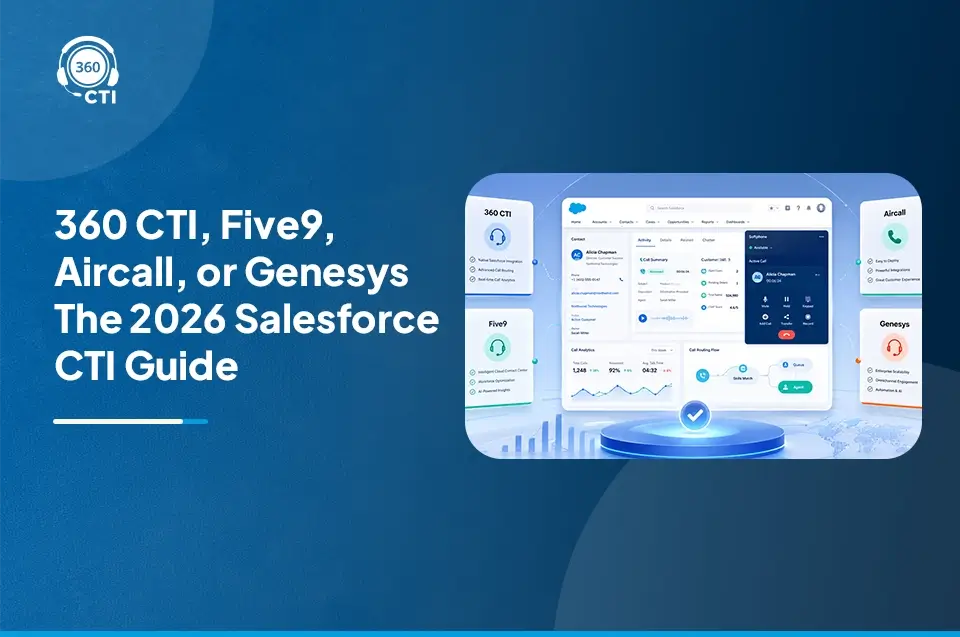
Here’s how the four platforms buyers compare most often when searching for the best CTI for Salesforce line up against each other, across the criteria that actually decide a purchase.
| Criteria | 360 CTI | Five9 | Aircall | Genesys Cloud CX |
| Integration model | Native Salesforce-built app, installs from AppExchange | Open CTI adapter connecting a separate contact center platform to Salesforce | Cloud phone system integrating with Salesforce via a connector, not built inside it | Prebuilt Salesforce integration surfacing a separate CCaaS platform inside a unified workspace |
| Requires a separate contact center platform | No | Yes, Five9’s contact center platform is the core product | Yes, Aircall is the phone system; Salesforce is a connected CRM | Yes, Genesys Cloud CX is the platform; Salesforce is the surfaced workspace |
| Starting price | $15/user/month | Core plan starts around $159/user/month | Salesforce integration requires the Professional plan at roughly $50/user/month, with a 3-seat minimum | Entry tier (CX 1) starts around $75/user/month, Salesforce integration often an add-on |
| Power Dialer | Included, with Break, Call, and Skip controls on call-down lists | Included, with predictive, progressive, power, and preview dialing modes | Included on the Professional plan | Available through outbound dialing add-ons, typically enterprise-tier |
| IVR and call routing | Multi-level nested IVR, text-to-speech, skill and region-based routing | Skills-based IVR routing through Five9’s Call Studio | IVR included on all plans, routing depth increases on Professional | Advanced ACD and IVR, a core strength of the platform |
| AI capabilities | Real-time transcription, multilingual sentiment detection, AI Voice Agent, AI call summaries | Real-time transcription and Einstein AI integration through Five9 Fusion for Salesforce | AI Assist for transcription and summaries, sold as a separate add-on | Agent Copilot, predictive routing, and other AI features gated behind AI Experience tokens |
| Setup and maintenance cost | No setup or maintenance cost, plug-and-play from AppExchange | Requires contact center implementation, typically weeks of professional services | Fast setup, typically operational within a day, but billed per license regardless of active use | Enterprise implementation, often 6 to 12 months for complex rollouts |
| Best fit | Sales, service, and operations teams that want full CTI depth without running a second platform | Large enterprise contact centers already invested in a dedicated CCaaS platform | Mid-market sales and support teams that want a modern phone system with solid CRM sync | Large enterprises needing unified voice, digital channels, and workforce management at scale |
The pattern worth noticing: Five9, Aircall, and Genesys are all telephony or contact center platforms first, with Salesforce as a connected layer on top. 360 CTI is built inside Salesforce from the start, so it doesn’t carry a second platform’s licensing, implementation timeline, or admin overhead.
Want Your Callers to Reach the Right Agent at the Right Time?

Real Use Cases Where CTI Scale Matters
High-volume calling exposes gaps that smaller teams can ignore. These use cases show where CTI Telephony for Salesforce stops being a nice-to-have and becomes essential.
1. SDR Teams Running Large Outbound Motions
SDR teams often make hundreds of calls per rep each week, so speed and consistency matter more than anything else. But scale breaks when reps are stuck with manual dialing, inconsistent logging, and delayed follow-ups, and Salesforce data quickly falls behind what is actually happening on the ground. With scalable CTI Telephony for Salesforce, native calling and automation keep reps moving from one call to the next without losing focus, while every call, outcome, and follow-up is captured automatically in Salesforce so the pipeline stays accurate even at high volume.
2. Inbound Lead Response and Speed-to-Lead
Inbound leads lose value fast, and the first rep to connect often wins the deal. But at scale, without intelligent routing, leads sit in queues, reps miss alerts, and high-intent prospects wait too long for a response. With scalable Salesforce CTI, inbound calls can be routed instantly to the right available rep with full context, while screen pops surface lead history and intent so the conversation starts strong, improving connection rates and conversion outcomes.
3. Sales Managers Needing Real Visibility
Sales managers need to understand not just how many calls are made, but what actually happens on those calls. At scale, disconnected systems show activity while hiding outcomes, so coaching becomes reactive and subjective. With scalable CTI Telephony for Salesforce, calls are logged automatically with outcomes, summaries, and context, giving managers a reliable view of performance and helping them coach from real conversations instead of guesswork.
4.Teams Expanding Across Regions or Time Zones
As sales teams expand across regions and time zones, call volume rises and coordination gets harder, especially when reps work different hours and markets. Manual processes break quickly in this setup, creating inconsistent follow-ups, messy data, and missed handoffs. A scalable Salesforce-native CTI keeps workflows consistent, data clean, and transitions smooth across regions, so execution stays aligned as the team grows.
5. Support Queues With Rising Case Volume
The same breakdown shows up on the service side. A support queue with weak routing logic sends callers to whoever’s free instead of whoever’s qualified, which drags down first-call resolution and pushes more calls into escalation. Salesforce-native IVR and skill-based routing keep callers matched to the right agent even as ticket volume climbs.
6. Contact Centers Balancing Shift Coverage
In a contact center environment, where team members work regulated breaks and staggered shifts, availability management and routing decide whether calls land on agents who can actually take them. Agent status tracking (Online, Away, Offline) tied directly into call routing prevents calls from stacking up on unavailable agents during shift transitions.
The Bottom Line
High-volume sales expose the truth about your systems. What works at ten reps often breaks at fifty. What feels manageable at low call volume becomes friction when pressure rises. A CTI decision, then, is not a tooling choice. It is an operating decision that shapes how reliably your team can execute day after day.
As Salesforce continues to anchor revenue operations, voice has to move from the edges into the core, and that’s true whether the calls in question are outbound sales, inbound support, contact center queues, or operations follow-ups. Teams that treat calling as part of the CRM workflow gain speed, clarity, and control. Teams that don’t end up compensating with manual effort and guesswork. The difference shows up quietly at first, then very clearly in pipeline quality, forecasting confidence, and rep morale.
The right CTI does not just help your team make more calls. It helps Salesforce tell the truth about what is happening across your sales, service, and operations engine. That is what ultimately scales.