
📋 Blog Summary
Salesforce AI calling with 360 CTI eliminates the manual admin burden that costs sales reps 3–4 hours every day. With an AI Voice Agent that qualifies leads automatically, Live Call Transcripts in 50+ languages, and Auto Disposition that logs outcomes to Salesforce in real time — sales teams can spend less time on data entry and more time closing deals.
Salesforce AI calling with 360 CTI helps sales teams qualify leads automatically, capture live call transcripts in 50+ languages, and update Salesforce records after every call. With less time spent on manual tasks, sales reps can focus on meaningful conversations, faster follow-ups, and closing more deals.
Think about your last sales call. Perhaps you had been switching CRM tabs, taking notes, and attempting to actually listen to what the prospect was saying. The result? You may well have missed the important points or been overstrained. That's the reality for many sales teams today.
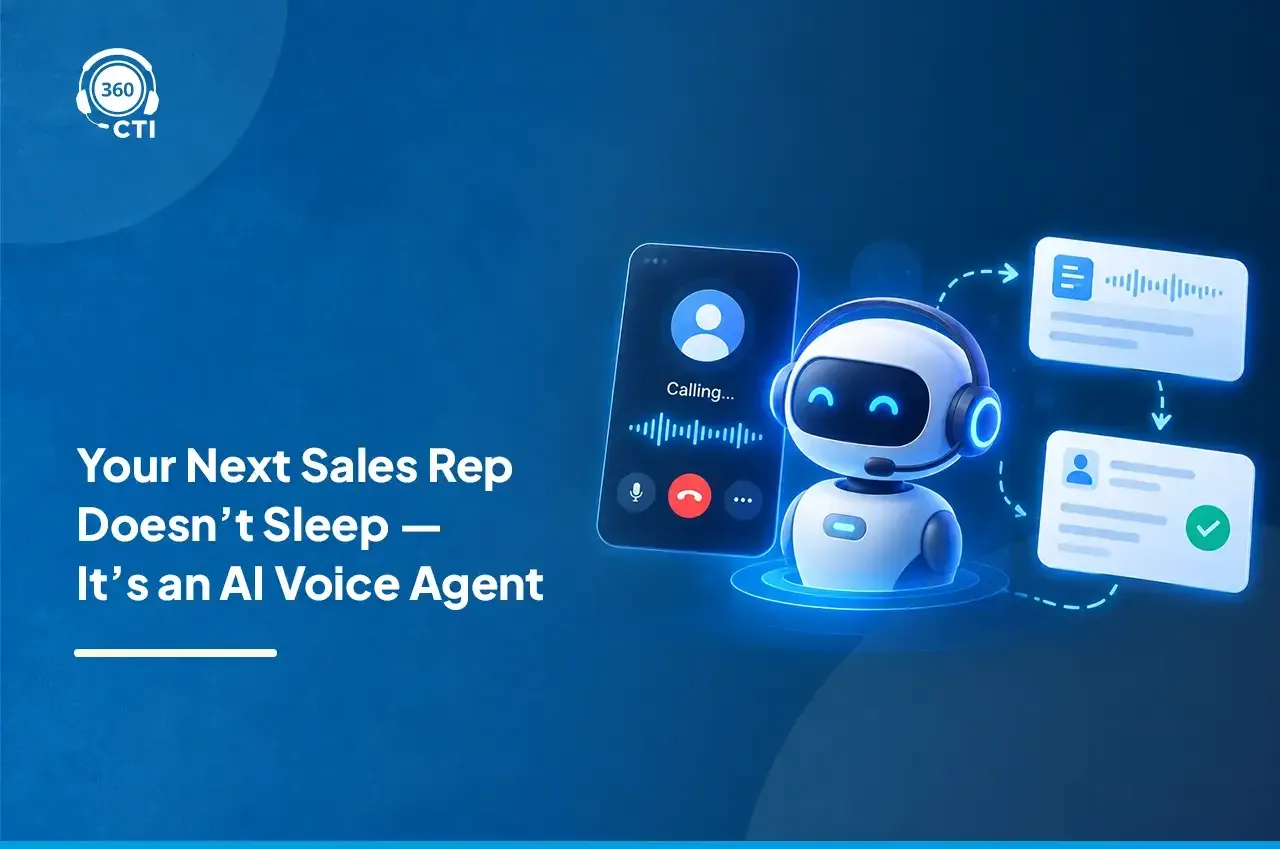
So next consider having a digital assistant who is able to make calls on your behalf, record every word of a conversation, and even summarize what has been said you are free to do what you do best, close deals. And that is what is being offered by the AI Voice Agent for Salesforce.
With its Salesforce AI calling capabilities, 360 CTI has transformed from being just a telephony solution into a true sales companion one that helps you spot opportunities, qualify leads faster, and boost your team's productivity.
Why Most Sales Teams Are Losing Deals Between Calls
Think about what happens after a sales call ends. The rep switches tabs, opens the contact record, types up notes, sets a follow-up task, and marks a disposition. That's 10 to 15 minutes of admin work per call. Multiply that across 20 calls a day, and reps are spending 3 to 4 hours on data entry alone.
And it gets worse. Because that manual process is exhausting, reps cut corners. Notes get thin. Dispositions get skipped. Follow-ups get delayed. Hot leads go cold because no one circled back within 24 hours.
Buyers don't wait. According to Harvard Business Review, companies that respond to a lead within an hour are seven times more likely to have a meaningful conversation with a decision-maker. If your lead response relies on a rep manually spotting a new submission and making the first call, you're already behind.
The core problem isn't effort. It's that the process was designed for humans to do things that Salesforce AI calling and routing can now handle faster and more accurately.
360 CTI's Salesforce AI Calling Capabilities
1. AI Voice Agent: Qualifying Leads Before Your Reps Start Their Day
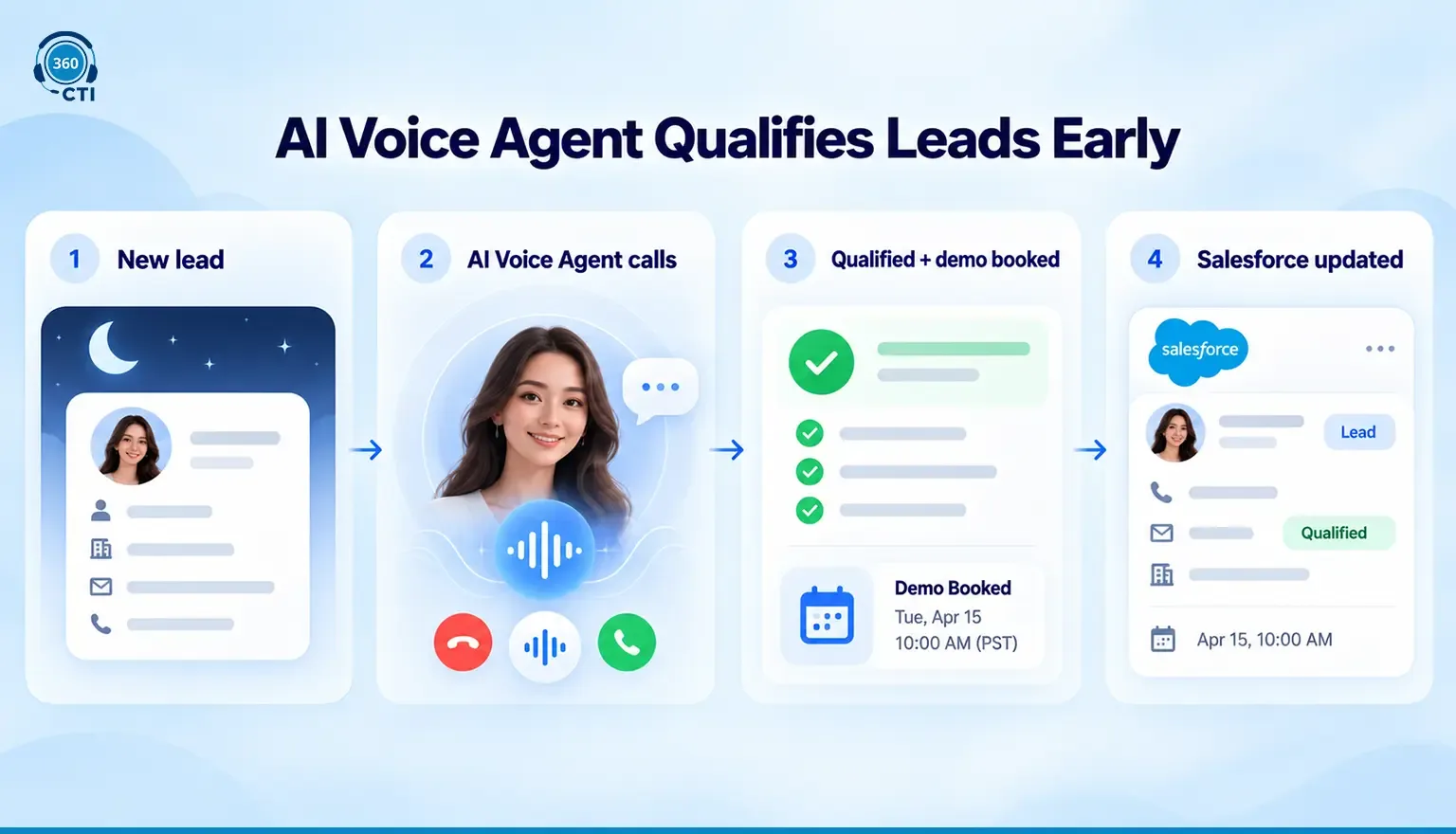
The AI Voice Agent in 360 CTI makes outbound calls automatically. It uses a configured script to ask qualifying questions, handles basic objections, records responses, and if a lead shows genuine interest, it books a demo with your rep.
Here's what that looks like in practice. A new lead comes in at 10 PM on a Thursday. The AI Voice Agent calls them at 9 AM Friday. By the time your rep sits down, there's already a Salesforce record updated with call outcome, lead qualification status, and a booked demo on the calendar.
The AI Voice Agent handles inbound calls too. It can route callers to the right team, collect information before a rep picks up, and handle overflow calls during peak hours.
| What your reps do without AI Voice Agent | What they do with AI Voice Agent |
|---|---|
| Manually call every new lead | Focus only on leads already qualified |
| Log call outcomes by hand | Outcomes written to Salesforce automatically |
| Follow up based on memory or reminders | Follow-ups triggered by the AI call result |
| Lose weekend leads to slow Monday response | AI Voice Agent reaches out before Monday morning |
📌 Did You Know
The AI Voice Agent in 360 CTI supports both inbound and outbound calls. It can qualify a new lead, book a demo, and log the interaction to Salesforce before your first rep starts their shift.
2. Live Call Transcripts: Stay Present, Not Busy
Reps who are typing notes aren't fully listening. And prospects can tell.
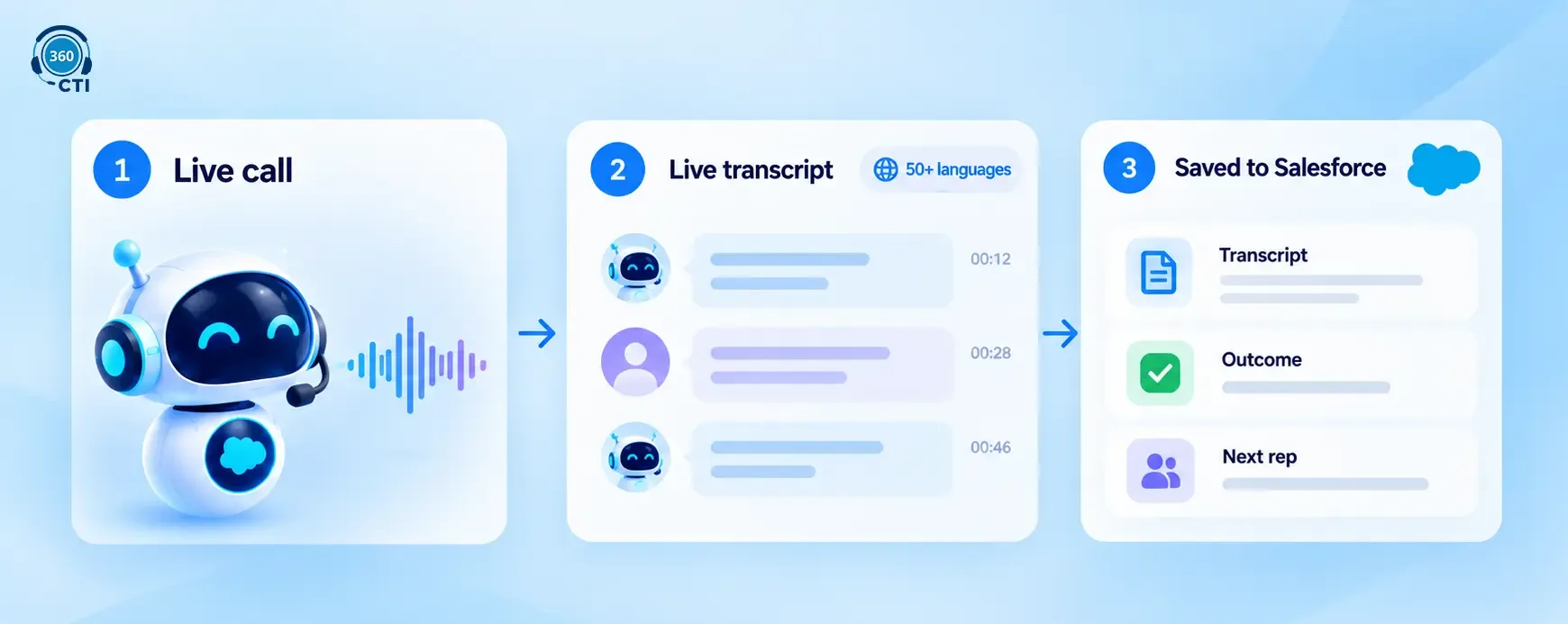
With Salesforce AI calling, 360 CTI's Live Call Transcripts capture every word of a conversation in real time, with speakers separated automatically. It doesn't matter if the caller speaks a different language. The transcript supports 50+ languages, so multilingual sales environments are covered.
After the call, the full transcript is searchable and stored on the Salesforce record. That means the next rep who picks up this account can read exactly what was said not a paraphrased summary that lost half the context.
This is especially valuable for longer sales cycles where the same lead gets touched by multiple reps across multiple weeks. The transcript becomes the handoff document. No one has to ask "what did we talk about last time?"
It's also a coaching tool. Sales managers can use call transcripts to coach reps more precisely spotting where momentum drops, how objections are being handled, and whether qualifying questions are actually landing.
3. Auto Disposition and Description Mapping: No More Post-Call Admin
This is the one reps tend to like the most.
When a Salesforce AI calling session ends, 360 CTI's Auto Disposition and Description Mapping analyzes the conversation, assigns an outcome tag (interested, not interested, follow-up needed, demo booked), writes a short call summary, and captures the caller's sentiment. All of this goes directly into Salesforce.
Instead of a rep typing "seems interested, maybe call back next week," Salesforce shows: "Positive intent confirmed. Demo scheduled for Tuesday at 2 PM. Decision-maker mentioned budget approval needed by Q4."
That's not a vague impression. That's actionable intelligence, written to the record before the rep has even closed the call window.
It also means your pipeline data is actually accurate. When managers pull reports on lead conversion rates or call-to-demo ratios, they're looking at data that was captured automatically not whatever the rep remembered to enter at the end of a long day.
Manual call logging is one of the top reasons Salesforce pipeline data goes stale. When disposition and call summaries are written automatically by AI, your CRM reflects reality, not what your team got around to updating. Accurate AI call analytics in Salesforce start with accurate call records.
How This Changes the Math on Sales Capacity
Here's a straightforward way to think about what this does to your team's output.
If a rep makes 20 calls a day and spends 12 minutes on post-call admin per call, that's 240 minutes four hours just on data entry. Auto disposition and live transcripts bring that down to near zero. That same rep now has four hours for actual selling.
Now extend that to the AI Voice Agent qualifying your inbound leads overnight. If 40% of your daily leads are new inbounds that don't need a human on the first call, the AI Voice Agent handles those. Your rep's 20 calls are now 20 qualified follow-ups instead of a mix of cold firsts and warm callbacks.
That's not a small efficiency gain. Salesforce AI calling at this level is a fundamentally different kind of sales operation.
For sales managers, the visibility improves too. You don't have to wonder whether reps are updating records. The AI does it. Your time goes to coaching and strategy, not chasing CRM hygiene.
Ready to see how AI Voice Agent works inside your Salesforce org?
We can walk you through a live setup based on your team size and call volume.
Book a Demo →What Happens to Your Data When AI Features Are On
Sales leaders evaluating Salesforce AI calling often have one follow-up question: where does the data actually go?
It's a fair question, and here's the direct answer for 360 CTI.
When AI features are active, call audio is processed to generate transcripts and sentiment analysis. The output is written to your Salesforce records. The AI processing is handled by providers that operate under Business Associate Agreements.
When AI features are turned off, no customer data is sent to any external AI service. The only transit is through the telephony carrier to deliver the call, which is true of any phone call regardless of software.
360 CTI is Salesforce-native. There's no separate database, no middleware storing records outside your org. The call log, transcript, and disposition all live inside your existing Salesforce data structure.
If your team operates in a regulated industry and has specific compliance requirements, that's a separate conversation worth having directly with the 360 CTI team. But for standard sales and service environments, your data stays where it belongs.
What This Looks Like for Different Sales Teams
Loan Sales and Financial Services RM Teams
High-volume outbound calling is the core workflow. The AI Voice Agent handles the first-touch qualification call for every new lead. Reps pick up on call two, already knowing whether this lead is serious about a loan product and what their timeline looks like. For RM teams running structured outbound at scale, the 360 CTI financial services solution covers the full setup.
Auto disposition logs the outcome. Managers see dashboards on connect rate, qualification rate, and call-to-demo ratio without chasing reps for updates.
Enrollment and Education Teams
Staff making outreach calls to prospective students can't always match a lead's schedule. The AI Voice Agent calls after hours, answers initial questions from a configured script, and captures interest level. Reps follow up the next morning with warm leads only. The 360 CTI education solution is built for exactly this kind of high-volume, number-masked outreach.
Personal numbers stay hidden. Every call shows the business number. Every interaction logs to the student's Salesforce record automatically.
General B2B Sales Teams
For teams running standard inbound lead qualification, the AI Voice Agent cuts mean first response time significantly. Speed to first contact is one of the clearest predictors of lead conversion, and having the AI make that call within minutes of a form submission is a direct advantage.